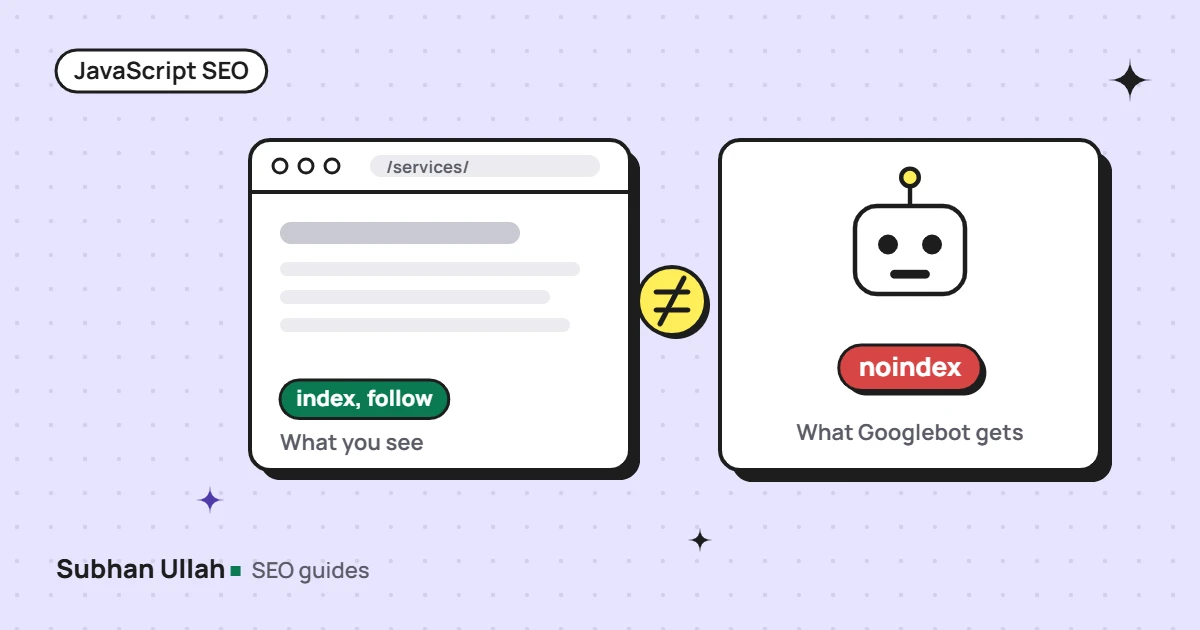
React sites can rank well. Google renders JavaScript with an up-to-date version of Chromium, so content that appears after your app loads can be indexed. The problems come from the details: titles and canonicals that only exist after rendering, links that are not real links, routes that return 200 for missing pages, and a noindex Google sees but your browser does not. The fix is to render the important parts on the server where you can, follow a short list of rules for the rest, and always test what Googlebot actually receives, not what you see in Chrome.
How Google processes a JavaScript page
Google’s JavaScript SEO basics describe three phases: crawling, rendering and indexing. Googlebot first fetches the HTML. Pages then wait in a queue to be rendered, which Google says may take a few seconds but can take longer. Only after rendering does Google see content, links and tags that your JavaScript adds.
Two things follow from that. Anything in the first HTML response is seen immediately and reliably. Anything added later depends on rendering working, and on Google deciding to render at all. Google also notes that not every bot runs JavaScript, so other search engines, social previews and some AI crawlers may only ever see the first HTML.
Choosing a rendering approach
| Approach | What Google gets first | When it fits |
|---|---|---|
| Client-side rendering (plain React) | An almost empty shell; content after rendering | Apps behind a login, or sites where search traffic does not matter |
| Server-side rendering (for example Next.js or Remix) | Full HTML for every request | Content and marketing pages that change often |
| Static generation | Full HTML built ahead of time | Pages that change rarely, such as guides and service pages |
| Pre-rendering for bots only (dynamic rendering) | A snapshot made for crawlers | A stopgap; Google calls it “a workaround and not a recommended solution” |
Google’s dynamic rendering guidance recommends server-side rendering, static rendering or hydration instead. Bot-only snapshots also add a second version of every page that can drift from the real one, which is exactly what went wrong in the example below.
The React SEO checklist
Titles, descriptions and canonicals per route
Every route needs its own title, meta description and self-referencing canonical. Ideally they are in the first HTML response. If they are set with a head manager in the browser, check the rendered HTML in URL Inspection to confirm Google sees the route’s values, not the app’s defaults.
Real links and real URLs
- Google only follows
<a>elements with anhref. Buttons and click handlers that change the route are not links to a crawler. React Router’s Link component renders a proper anchor, so use it. - Use the History API for routes, not URL fragments. Google says not to use fragments (the part after #) to load different page content.
- Make sure every route also works when loaded directly, not only when clicked to from the homepage.
Missing pages that return 200
Single-page apps often show a “not found” screen while the server still returns 200 for any URL, which creates soft 404s. Google gives two options: redirect with JavaScript to a URL that returns a real 404, or add a noindex robots tag to the error view.
Noindex rules that cannot leak
Google may skip rendering when it finds noindex in the first HTML, so removing a noindex with JavaScript is unreliable. Keep noindex decisions simple and based on the path, such as admin or draft routes. Where you can, set them on the server or edge with an X-Robots-Tag header, scoped to the exact host and path.
Structured data and sitemaps
Structured data added by JavaScript must be present in the rendered HTML; check it with the Rich Results Test. Generate the XML sitemap from your real routes and check that every URL uses the live domain, not a staging or origin hostname.
A real example: a noindex only Googlebot could see
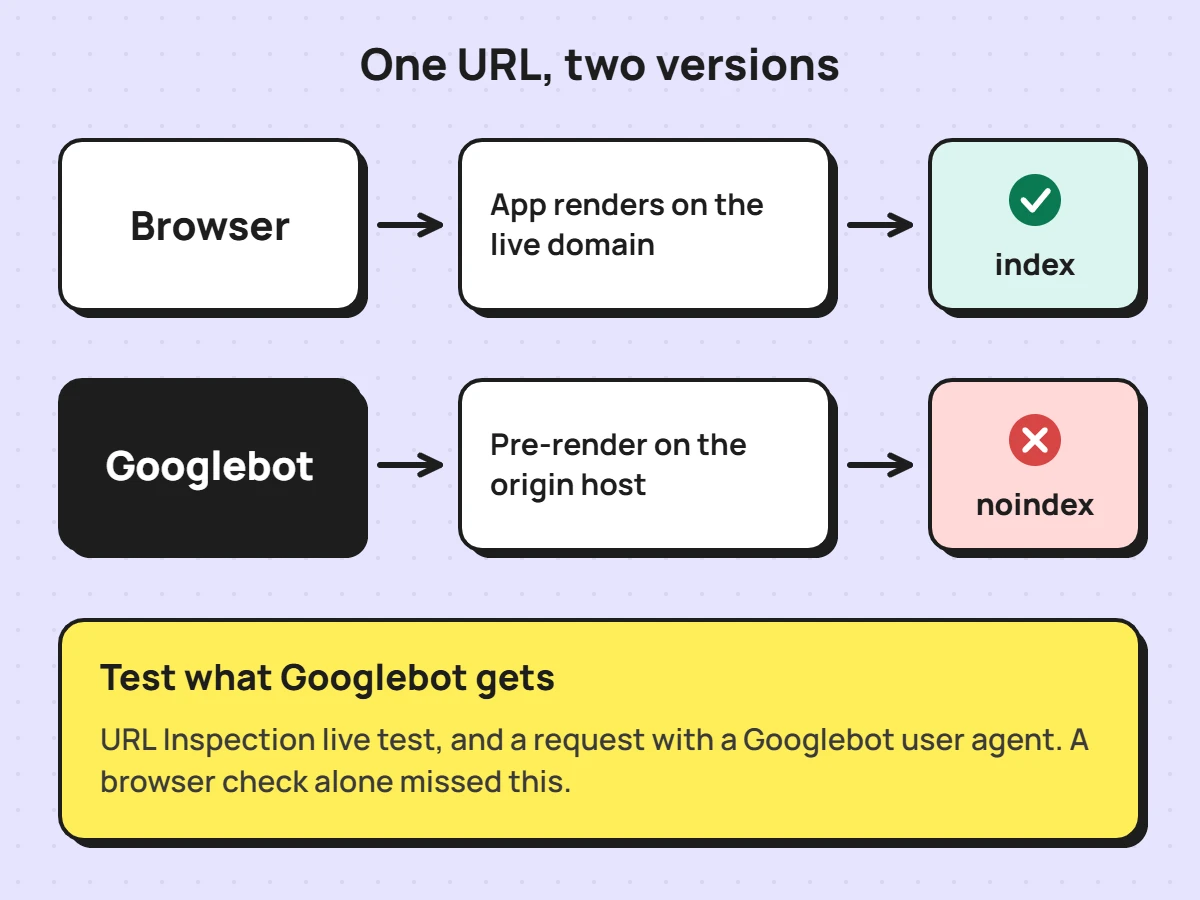
One B2B site I work on is a React single-page app built on an app platform, behind an edge worker that handles redirects. The platform pre-renders pages for search engine bots on its own origin server, which runs under a different hostname from the live site.
What happened
The app contained a rule meant to keep that origin hostname out of Google: if the page was running on the origin host, add noindex. In a normal browser the rule never fired. But the bot snapshots were built on the origin host, so the rule fired inside every snapshot, and Googlebot received a noindex on pages across the site. In the Page indexing report, indexed pages fell from 190 to 109 in about a week. The same leak had also put the origin hostname into the sitemap URLs.
Why the first checks missed it
The noindex rules had been checked in a browser, page by page, and every page looked fine. Nothing was wrong for people. Only a request with a Googlebot user agent, and Search Console’s live URL test, showed what Google was actually receiving.
How it was fixed
- Removed the hostname-based noindex and kept only path-based rules for admin and draft routes
- Corrected the sitemap host at the edge, so every URL used the live domain
- Allowed for the fact that bot snapshots were cached for days and did not refresh on publish, so every change was confirmed with a live URL test rather than assumed
The lesson applies to any JavaScript site with a pre-render, a CDN snapshot or an edge layer: there can be two versions of every page, and the one that matters for SEO is the one you cannot see in your browser.
How to test what Google sees
- URL Inspection, Test live URL: view the rendered HTML and screenshot. Check the title, canonical, robots meta, main content and links.
- Fetch as Googlebot: request the page with a Googlebot user agent (for example with curl) and compare it with a normal request. Differences point to bot-only rendering or caching.
- View source vs rendered: anything only in the rendered version depends on rendering; anything only in the source may be removed by your scripts.
- Rich Results Test: confirm structured data appears after rendering.
- Page indexing report: watch for rising “Excluded by noindex tag”, soft 404 or “Crawled, currently not indexed” counts after a release.
If the last one shows pages stuck in “Crawled, currently not indexed”, my guide to what that status means and what to do covers how to sort them. Moving to or from a JavaScript framework is a migration in its own right; the SEO migration checklist covers it, and my technical SEO services include JavaScript rendering checks on every audit.
Frequently asked questions
Is React bad for SEO?
No. React itself is fine. Plain client-side rendering puts more weight on Google’s rendering step and gives other bots less to work with, so for pages that need search traffic, server-side rendering or static generation is the safer choice.
Do I need to move to Next.js?
Not necessarily. If your important pages already show their content, titles and links in the rendered HTML, and they are indexed, a framework change is a big project for a small gain. Move when the current setup is causing measurable problems.
Does Google index content that loads after a click or scroll?
Do not count on it. Google renders the page but does not click buttons or open tabs the way a visitor does. Content that should rank needs to be in the page when it loads, even if it is visually collapsed.